Surfsight Firmware Upgrade to 3.12.206
Firmware Upgrade to 3.12.206
- Confirm the camera is connected to power.
- Remove SD/SIM cover using tri-wing screwdriver that came with your camera.
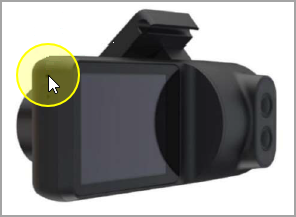
- Push down to eject the existing SD Card (slot that is closest to front side of camera).
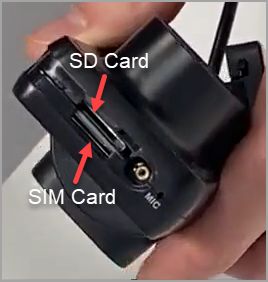
- Insert the upgrade SD Card that was shipped to you.
- After a few moments the camera should say “Factory Data Reset”. The camera’s screen will stay black for a few minutes. Wait until the device reboots itself and starts showing the white car icon again.
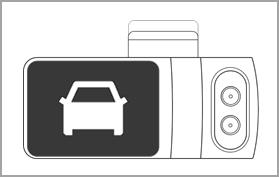
- Tap the screen and enter 3333, or your pin if you've updated it.
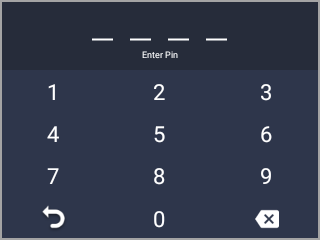
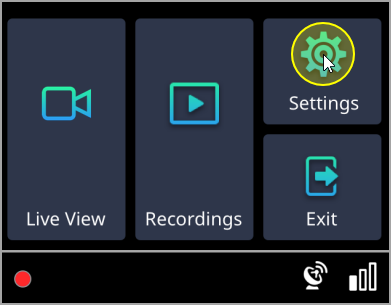
- On the camera's display, tap on Settings.
Scroll down until find the Build Version and confirm the version displayed is 3.12.206.
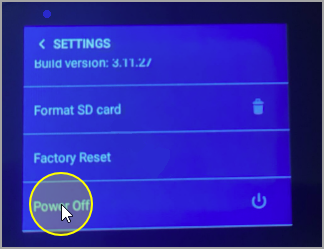
Note:If it doesn't read
3.12.206, reboot the camera by going to
Settings >
Power Off.
- Remove the upgrade SD card and replace with your original SD card.
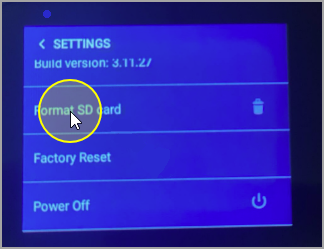
- Format the SD card by going to Settings > Format SD card.
- Screw the cover back into place with the tri-wing screwdriver.
Related Articles
How to Manually Upgrade Your Camera's Firmware
This guide will go over how to manually update your camera. This is useful if your camera is having trouble connecting to the platform and is on outdated firmware. Inserting the Upgrade SD Card: Using the special screwdriver provided to you in the ...
Reset the Surfsight Dashcam - Pin Reset
Reset the Surfsight Dashcam - Pin Reset Locate the Reset button on the side of the dashcam by removing the SIM/SD cover on the side of the camera. Press the Reset Button until the camera screen goes black (a paperclip or pushpin will work) — then ...
How to Access the 'Settings' Tab in Your Dash Cam (And What's In It)
This process shows how you can access your settings tab and every setting you can change, with an in-depth explanation. Accessing the 'Settings' Tab: When you are in park with the parking brake on, the ignition on, and the door closed, press the ...
How to Connect the AI-12 Dash Cam to a Power Source
To utilize all the features of the AI-12 dash cam, including Standby mode, it must be connected to a constant power source. The dash cam should only be connected by using the provided power cables. If the installation is canceled and the dash cam has ...
FAQ: Surfsight Dash Cam
Q. How can I change the date and time on my dash cam? A. The date and time are determined by the mobile network of the dash cam. You cannot manually change the date or time. You can however change the format of the time in the Settings menu of the ...
 Note:
Note: