My camera stream is green and distorted! What do I do?
Problem:
If your video stream is showing a green and distorted image, it means that the imager and video stream are not in sync while the video is recording. It will look something like this:
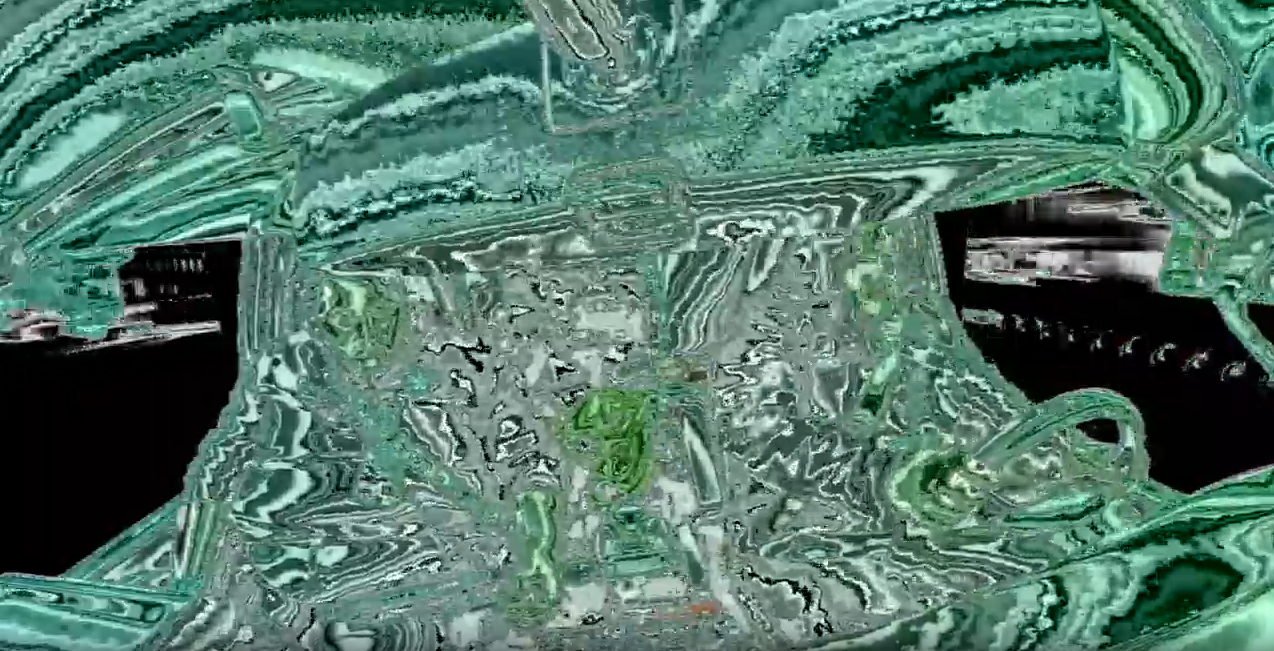
Resolution:
Press and hold the red button on the camera for 25 seconds and then release. This will reset the camera which will force both to start over so that they start syncing up again.
Related Articles
Lytx One (Formarly RoadEazy RZ1) Camera and Security
Common Questions Where are the RZ1 cameras and chips manufactured? The devices are manufactured in Vietnam and in corporate US-headquartered components: Telit PLS83-X Certified 4G Module with GPS and AGPS, developed by Telit (Headquarters: Irvine, ...Understanding LED Statuses
RZ1 Vehicle Hub’s LEDs POWER LED Green: The hub is connected to power and is in either an active or standby state. GNSS LED (GPS Status) Off: The hub is in standby mode, and the GNSS and CELL LEDs are inactive. Red: The GNSS is active but has not ...How to Replace Your RoadEazy RZ1 SD Card (Video)
How to Replace Your RoadEazy SD Card (RZ1)USB Repeater Extension Cable for RZ1 Solutions
Overview The USB Repeater Extension Cable is an active USB 2.0 extension cable used to increase the distance between the RoadEazy RZ1 camera and its gateway device. The cable contains a built-in signal booster chipset that amplifies and regenerates ...Understanding the Dash Cam
The dash cam has lenses on each side, allowing it to capture video of the driver and the road at the same time. The in-cab lens allows you to: Understand and benefit from driving alerts. Manually trigger an event. Key Components: Road-Facing Camera - ...